Optimizing Wireless Network Settings for Universities: A Comprehensive Guide
Introduction
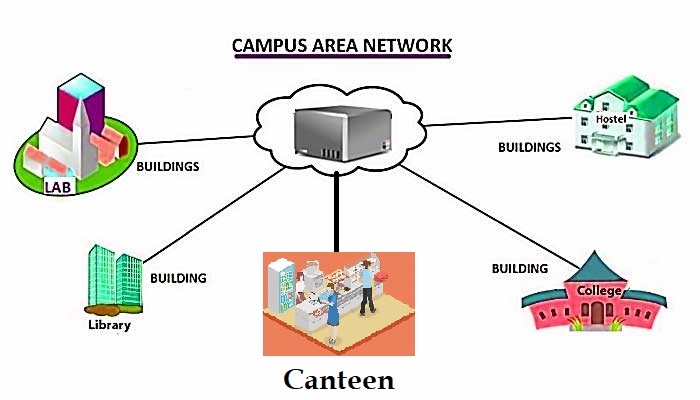
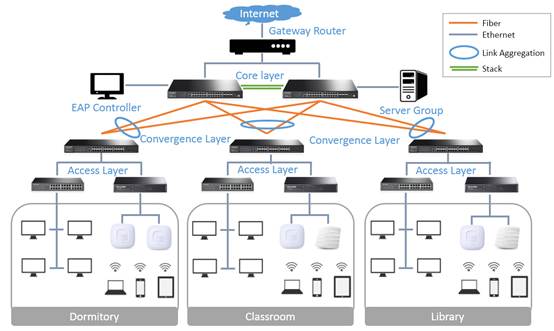
A reliable network is a must for any university, and Wi-Fi is the backbone of campus life. With the increasing number of devices and users, a well-planned campus Wi-Fi setup is essential to ensure seamless connectivity, efficient data transfer, and improved learning experiences. In this article, we will explore the best practices for setting up a wireless network for universities, including network planning, system selection, bandwidth estimation, and network security.Preliminary Survey: Understanding Campus Layout and High-Traffic Areas
The first step in setting up a wireless network for a university is to conduct a thorough survey of the campus layout and identify high-traffic areas. This will help you determine the number of access points (APs) required, their locations, and the type of coverage needed. Consider factors such as building density, student population, and the number of devices connected to the network.System Selection: Choosing a Wi-Fi System Suitable for High-Density Usage
Once you have a clear understanding of your campus layout and high-traffic areas, it's time to select a Wi-Fi system that can handle the demands of high-density usage. Look for a system that offers: * High-density APs with built-in antennas and advanced beamforming capabilities * Support for multiple Wi-Fi standards (e.g., 802.11ac, 802.11ax) * Scalability and flexibility to accommodate growing user populations * Advanced security features, such as WPA3 and 128-bit AES encryptionBandwidth Estimation: Calculating Bandwidth Needs
To ensure that your wireless network can handle the demands of your users, it's essential to estimate bandwidth needs accurately. Consider factors such as: * Number of users and devices connected to the network * Type of applications and services used (e.g., streaming, online gaming, video conferencing) * Network traffic patterns (e.g., peak hours, off-peak hours) * Available bandwidth and network capacityWireless Network Settings for Universities: Best Practices